サイトエクスポーター
内容
お客様がウェブサイトの移行を決めた場合に、ネットワーク内のサブサイトを単一サイトのインストールへ移動したり、その逆を行ったりする必要があることを私たちは理解しています。サイトエクスポーターとインポーターのアドオンは、この作業を簡単にします。このツールは zip ファイルを使ってサイトをエクスポートおよびインポートし、バックアップとしても利用できます。
機能
-
サイトのエクスポートとインポート
-
使いやすいインターフェース
-
サイトバックアップの作成
ドキュメント
サイトをエクスポートおよびインポートする方法
インストール
- ultimate-multisite-site-exporter を /wp-content/plugins/ ディレクトリにアップロードします
- WordPress の プラグイン メニューからプラグインを有効化します
- ステップごとのウィザードに従ってプラグインを設定します
使い方ガイド
Ultimate Multisite では、ネットワークからサイトをエクスポートしたり、マルチサイトまたは単一サイトのインストールへサイトをインポートしたりできます。
処理を開始するには、アドオンページに移動し、Ultimate Multisite: Site Exporter & Importer アドオンをインストールします。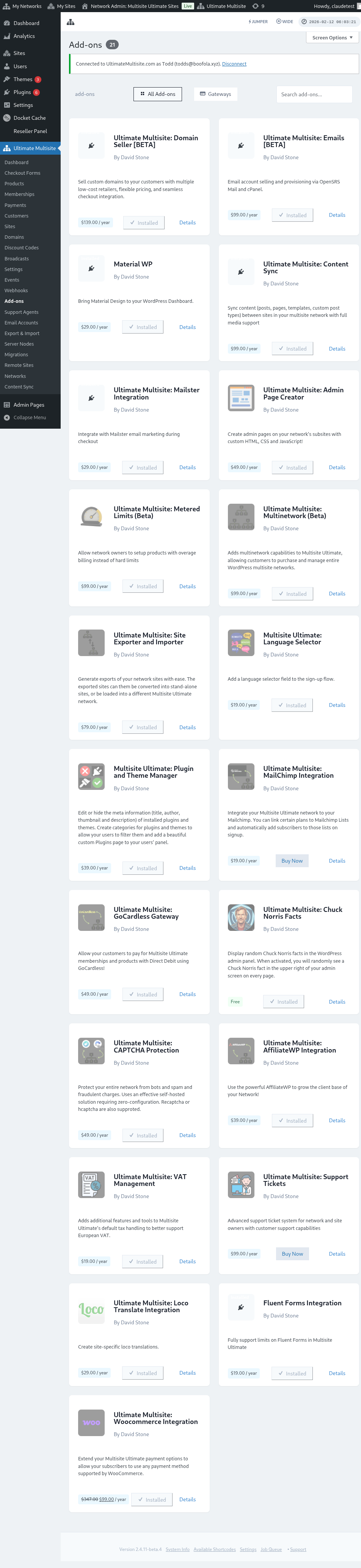
プラグインページに移動し、インストールしたばかりのアドオンで ネットワーク有効化 をクリックします。
エクスポートとインポート オプションは、左側の Ultimate Multisite メニューにあります。
サイトをエクスポートする方法
ネットワークからサイトをエクスポートするには、Ultimate Multisite メニューの エクスポートとインポート に移動し、サイトをエクスポート タブで 新しいサイトエクスポートを生成 をクリックします。
エクスポートしたいサイトを検索し、エクスポートファイルに含める項目を選択します。テーマ、プラグイン、アップロードを含めることができます。サイトが大きすぎる場合は、エクスポート処理をバックグラウンドで実行するよう選択できます。
サイトをエクスポート ボタンをクリックします。エクスポートされたサイトは 既存のエクスポート リストで利用できます。ファイルをダウンロードするには、ZIP をダウンロード ボタンをクリックします。エクスポート ZIP には自己起動型の index.php と readme.txt が含まれているため、別のインポータープラグインを先にインストールしなくても、新しいホストにインストールできます。
ネットワーク全体をエクスポートする方法
すべてのサブサイトをまとめてエクスポートするには、Ultimate Multisite メニューの エクスポートとインポート に移動し、エクスポート画面の ネットワークエクスポート オプションを使用します。生成されるアーカイブには、ホスト移行、ステージングの再構築、ネットワークレベルのバックアップ用に、すべてのサブサイトが 1 つの ZIP に含まれます。
ネットワークエクスポートは大きくなる場合があります。トラフィックが少ない時間に実行し、アーカイブと、含めるアップロード、プラグイン、テーマのために十分なストレージがサーバーにあることを確認してください。
サイトをインポートする方法
サイトをインポートするには、サイトをインポート タブに移動し、インポートしたいサイトの .zip ファイルをアップロードします。URL を新しいものに変更することも、空欄のままにして古い URL を維持することもできます。また、インポート後にインストールから .zip ファイルを削除するチェックボックスをオンにできます。その後、インポートを開始 をクリックします。
処理には少し時間がかかる場合があります。インポーターの下にあるリストに、保留中のインポートが表示されます。
インポートをキャンセル をクリックすると、処理を停止できます。
処理が完了すると、サイトはすでにネットワークで利用可能になっています。
単一インストールでサイトをインポートする方法
単一インストールへサイトをインポートするには、まずサイトにインポーターをインストールして有効化します。ダウンロードリンクはエクスポータータブにあります。
インポーターは、左側の ツール メニュー内のサブ項目 エクスポートとインポート にあります。
インポートしたいサイトの .zip ファイルをアップロードします。URL を新しいものに変更することも、空欄のままにして古い URL を維持することもできます。また、インポート後にインストールから .zip ファイルを削除するチェックボックスをオンにできます。その後、インポートを開始 をクリックします。
処理には少し時間がかかる場合があります。インポーターの下にあるリストに、保留中のインポートが表示されます。
インポートをキャンセル をクリックすると、処理を停止できます。
処理が完了すると、サイトはインポートしたばかりのサイトに置き換えられます。