Managing Customers
The Customers page shows the list of members registered in your network. This page displays basic user information including name, email address, last login, and a switch to link that lets you log into the user's subsite as a site administrator.
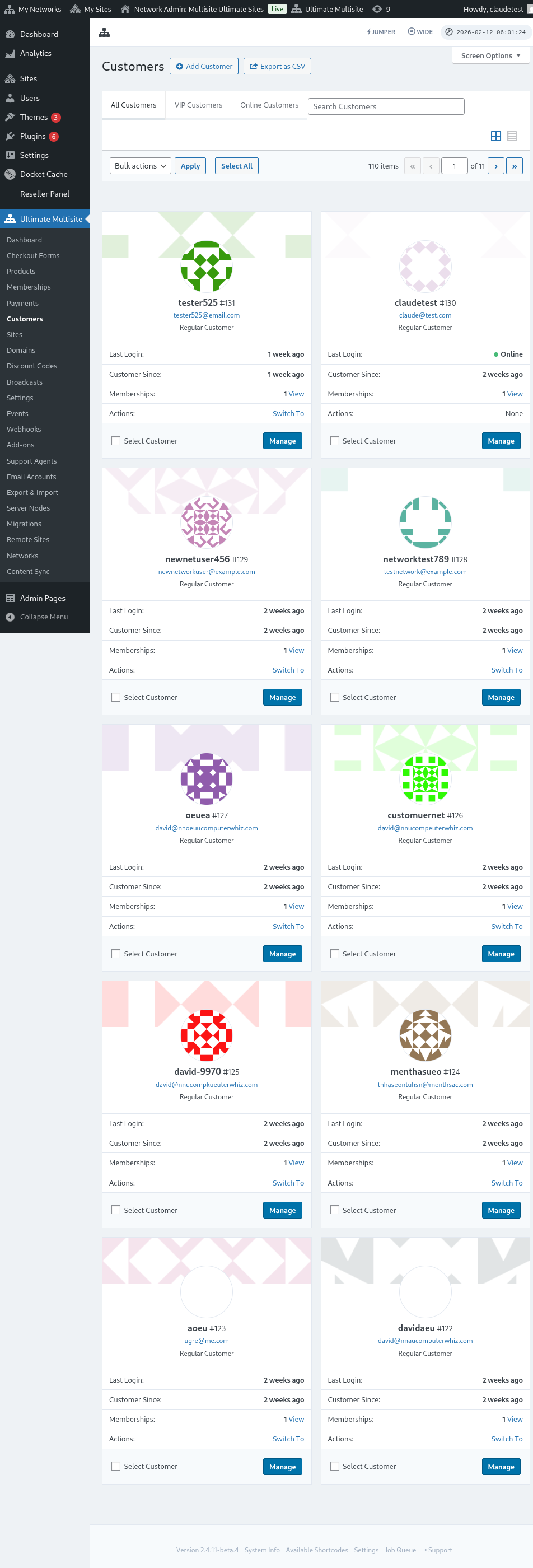
Click Manage below a customer's card to see detailed information about that customer.
On the customer detail page, the At a Glance block shows the customer ID, last login time, and total amount spent by this customer.
The Customer Options block lets you set this customer as a VIP (a tag to make them easier to find). The Billing Info tab shows billing information such as email, address, and country.
The Fields block shows the customer username, email, and lets you change the Email Verification status.
Below the Customer Options block you'll find four additional blocks:
- Memberships — Current subscriptions the customer is subscribed to
- Payments — The customer's payment history
- Sites — Sites this customer owns
- Events — Events related to this customer (email verification, billing changes, etc.)
Click the arrow icon (→) next to any item to navigate to its detail page. For example, clicking the arrow next to a site takes you to the site edit page where you can modify the membership association, site type, and active status.
The same applies to memberships and payments — each links to detail pages where you can edit membership status, associated customer, products, payment gateway settings, and even process refunds.
On the right side of the customer page, you'll find:
- Last Login & IPs — Last login time, IP address, and country
- Timestamps — When the customer account was created and last modified
- Delete — Option to permanently delete the customer
Deleting a customer is permanent and cannot be undone.