Managing Sites
Sites (or subsites) are the core of your WaaS business. Ultimate Multisite has 3 types of sites:
- Customer-owned — Sites belonging to specific customers
- Site Templates — Pre-defined sites that customers can select as a starting point
- Main Site — Your primary network site
Viewing Sites
Navigate to Ultimate Multisite → Sites to see all subsites in your network. Each site is labeled by type and you can filter by All Sites, Customer-Owned, Templates, or Pending.
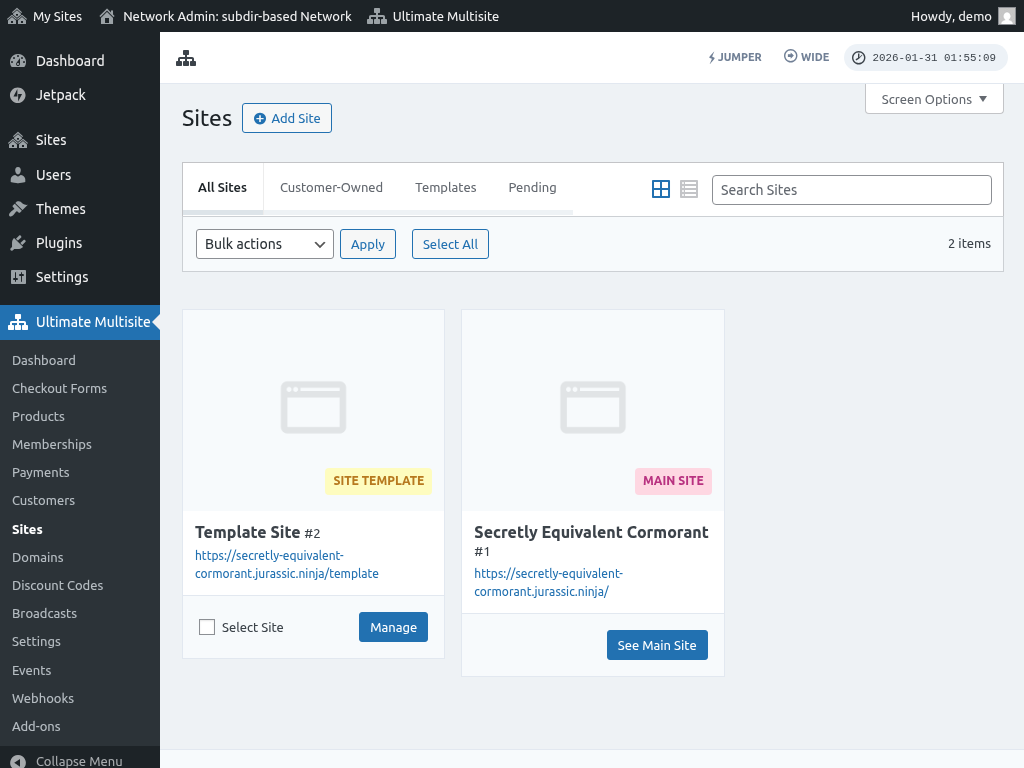
Adding a New Site
Click the Add Site button to create a new site. You'll need to provide:
- Site Title — The name of the new site
- Site URL — The domain/path for the site
- Site Type — Whether it's a customer site, template, or regular site
The Copy Site option lets you create a new site based on an existing site template. When enabled, you can select which template to use as a starting point. Make sure Copy Media on Duplication is enabled to include media files.
Managing an Existing Site
Click Manage on any site to open the Edit Site page. Here you'll find:
Basic Information
The site name, type, site ID, and description. You'll also see the mapped domain, associated membership, and the customer account that owns the site.
Site Options
Configure the site's capabilities and limits:
- Visit limits — Maximum number of site visits
- User account limits — Per user role limits
- Disk space — Storage quota for the site
- Custom domain — Enable domain mapping for this site
- Plugin and theme visibility — Control which plugins and themes are visible, hidden, or pre-activated
By default, sites follow the limits set at the membership level. Setting limits on the site level will override the membership settings.
Associations
Below the site options you'll find information about:
- Mapped domains associated with the site
- Membership the site is under
- Customer account linked to the site
Right Sidebar
On the right side you can:
- Enable/disable the site with a toggle button
- Change the site type or reassign ownership
- Set a site image/thumbnail (displayed on the frontend for site templates)
- Delete the site permanently
Deleting a site is irreversible. The site and all its content will be permanently removed.