PayPal గేట్వేను సెటప్ చేయడం (v2)
ముఖ్య గమనిక: ఈ వ్యాసం Ultimate Multisite వెర్షన్ 2.x గురించి.
మా చెల్లింపు సెట్టింగ్ల పేజీలో మీరు నాలుగు వరకు చెల్లింపు పద్ధతులను సక్రియం చేయవచ్చు: Stripe, Stripe Checkout, PayPal మరియు Manual. ఈ వ్యాసంలో PayPal తో ఎలా సమన్వయం చేయాలో చూద్దాం.
Stripe లాగే, PayPal కూడా ఆన్లైన్ చెల్లింపుల కోసం, ముఖ్యంగా WordPress వెబ్సైట్లలో, విస్తృతంగా ఉపయోగిస్తారు. మీ నెట్వర్క్లో అందుబాటులో ఉన్న చెల్లింపు పద్ధతిగా PayPal ను ఎలా ఉపయోగించాలో ఈ వ్యాసం మీకు మార్గనిర్దేశం చేస్తుంది.
ఈ సమన్వయానికి అవసరమైన API ఆధారాలను పొందడానికి మీకు PayPal Business Account అవసరం అని గమనించండి.
మీ నెట్వర్క్లో PayPal ను ప్రారంభించడం
మీ నెట్వర్క్లో అందుబాటులో ఉన్న చెల్లింపు పద్ధతిగా PayPal ను ప్రారంభించడానికి, Ultimate Multisite > Settings > Payments ట్యాబ్కు వెళ్లి PayPal పక్కన ఉన్న పెట్టెను టిక్ చేయండి.
మార్గనిర్దేశిత సెటప్ విజార్డ్ను ఉపయోగించడం
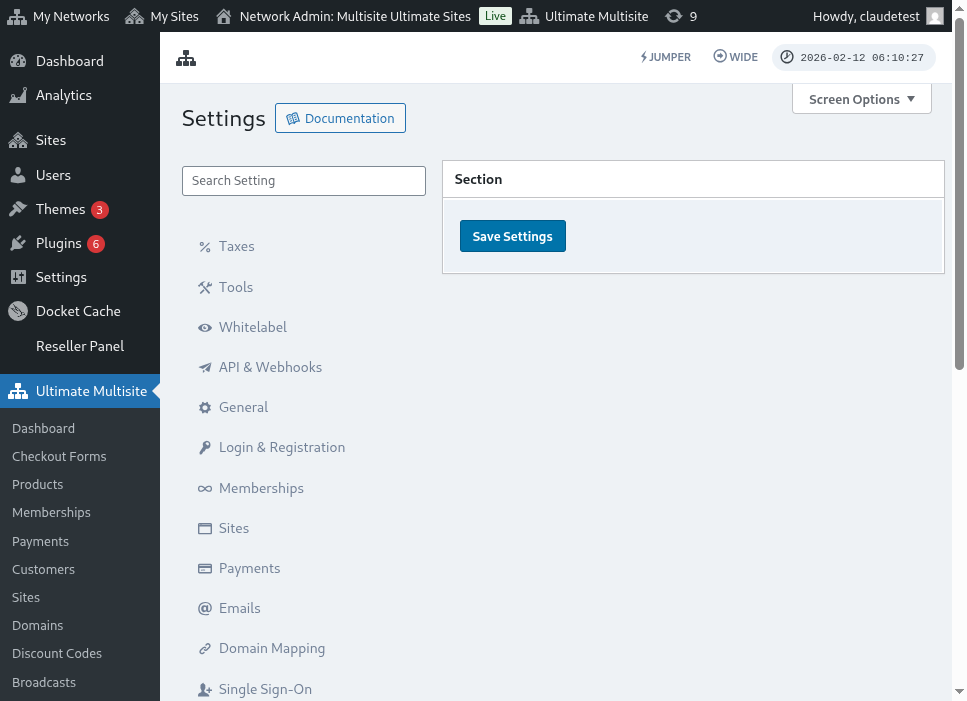
Ultimate Multisite 2.10.0 చెల్లింపు గేట్వే సెట్టింగ్లకు మార్గనిర్దేశిత PayPal సెటప్ విజార్డ్ను జోడిస్తుంది. మీరు PayPal ను ప్రారంభించిన తర్వాత, గేట్వేను ఎలా కనెక్ట్ చేయాలనుకుంటున్నారో ఎంచుకోవడానికి మరియు సేవ్ చేయడానికి ముందు ఇంకా ఏ ఆధారాలు అవసరమో నిర్ధారించడానికి Ultimate Multisite > Settings > Payments లోని విజార్డ్ను ఉపయోగించండి.
విజార్డ్ రెండు సెటప్ మార్గాలకు మద్దతు ఇస్తుంది:
- మాన్యువల్ ఆధారాల నమోదు: మీ వద్ద ఇప్పటికే PayPal API ఆధారాలు ఉన్నప్పుడు, మీ Account కోసం OAuth సెటప్ అందుబాటులో లేనప్పుడు, లేదా PayPal నుండి ఆధారాలను మీరే కాపీ చేయాలనుకున్నప్పుడు ఈ మార్గాన్ని ఉపయోగించండి. PayPal ఫీల్డ్లలో API Username, API Password, మరియు API Signature నమోదు చేసి, తర్వాత చెల్లింపు సెట్టింగ్లను సేవ్ చేయండి.
- OAuth కనెక్షన్ గేట్: మీ ఇన్స్టాల్ కోసం OAuth ఎంపిక అందుబాటులో ఉండి ప్రారంభించబడినప్పుడు మాత్రమే ఈ మార్గాన్ని ఉపయోగించండి. విజార్డ్ OAuth ప్రవాహాన్ని ఫీచర్ ఫ్లాగ్ వెనుక చూపిస్తుంది, కాబట్టి ఆ ఫ్లాగ్ లేని నెట్వర్క్లు మాన్యువల్ ఆధారాల నమోదు ఫీల్డ్లనే ఉపయోగిస్తూనే ఉంటాయి.
విజార్డ్లో OAuth ఎంపిక కనిపించకపోతే, క్రింద ఉన్న మాన్యువల్ ఆధారాల నమోదు ప్రవాహాన్ని పూర్తి చేయండి. గేట్వే మునుపటి Ultimate Multisite 2.x విడుదలలతో ఉన్న అదే PayPal Business API ఆధారాలతో పనిచేస్తుంది.
PayPal API ఆధారాలను పొందడం
PayPal చెల్లింపు గేట్వేగా ప్రారంభించిన తర్వాత, మీరు PayPal API Username , PayPal API Password మరియు PayPal API Signature ఫీల్డ్లను పూరించాలి.
మీ PayPal Live లేదా Sandbox Account లో లాగిన్ అయి వీటిని పొందవచ్చు.
(చెల్లింపులను పరీక్షించడానికి మరియు గేట్వే సరిగా సెటప్ అయ్యిందో లేదో చూడడానికి మీరు sandbox mode ఉపయోగించవచ్చని గుర్తుంచుకోండి. సంబంధిత విభాగాన్ని ఆన్ చేయండి.)
మీ PayPal Account కోసం API Signature లేదా Certificate ఆధారాలను అభ్యర్థించడానికి:
-
మీ Account సెట్టింగ్లు కు వెళ్లండి.
-
API యాక్సెస్ విభాగంలో, అప్డేట్ క్లిక్ చేయండి.
-
NVP/SOAP API సమన్వయం (Classic) కింద, API ఆధారాలను నిర్వహించండి క్లిక్ చేయండి.
-
మీరు ఇప్పటికే API Signature లేదా Certificate సృష్టించి ఉంటే, మీ ఆధారాలను చూడగలిగే పేజీకి మీరు మళ్లించబడతారు.
-
గమనిక: మీ PayPal Account ను ధృవీకరించమని అడిగితే, స్క్రీన్పై కనిపించే సూచనలను అనుసరించండి.
-
-
క్రింది ఎంపికల్లో ఒకదాన్ని ఎంచుకుని, తర్వాత అంగీకరించి సమర్పించండి క్లిక్ చేయండి.
-
API Signature అభ్యర్థించండి – API Signature ప్రామాణీకరణ కోసం ఎంచుకోండి.
-
API Certificate అభ్యర్థించండి – API Certificate ప్రామాణీకరణ కోసం ఎంచుకోండి.
-
-
PayPal మీ API ఆధారాలను ఈ విధంగా సృష్టిస్తుంది:
-
API Signature ఆధారాలు లో API Username, API Password, మరియు Signature ఉంటాయి. ఇవి గడువు ముగియవు. అదనపు భద్రత కోసం ఈ విలువలు డిఫాల్ట్గా దాచబడి ఉంటాయి. వాటిని ఆన్ మరియు ఆఫ్ చేయడానికి చూపించు/దాచు క్లిక్ చేయండి. పూర్తయిన తర్వాత, పూర్తయింది క్లిక్ చేయండి.
-
API Certificate ఆధారాలు లో API Username, API Password, మరియు Certificate ఉంటాయి. ఇది మూడు సంవత్సరాల తర్వాత స్వయంచాలకంగా గడువు ముగుస్తుంది. API Certificate ను మీ డెస్క్టాప్కు సేవ్ చేయడానికి Certificate డౌన్లోడ్ చేయండి క్లిక్ చేయండి.
-
అంతే, మీ PayPal చెల్లింపు సమన్వయం పూర్తయింది!
PayPal సెట్టింగ్ల గురించి మీకు ఏవైనా ప్రశ్నలు ఉంటే, PayPal యొక్క సహాయ కేంద్రం చూడవచ్చు.