Teeb Tsa Kev Them Nyiaj Ntawm Tes (v2)
CEEB TOOM TSEEM CEEB: Kab lus no hais txog Ultimate Multisite version 2.x.
Kev them nyiaj ntawm tes yog ib txoj kev uas koj siv tau los muab lwm txoj kev them nyiaj yog tias Stripe lossis PayPal tsis muaj rau koj cov neeg siv. Nws yuav yog kev xa nyiaj hauv bank, hloov nyiaj ntawm bank, lossis lwm txoj kev them nyiaj twg uas muaj rau koj cov neeg siv hauv lawv cheeb tsam.
Yuav qhib Kev Them Nyiaj Ntawm Tes li cas
Kev teeb tsa kev them nyiaj ntawm tes yooj yim heev. Koj tsuas yog yuav tsum qhib nws hauv cov chaw txais kev them nyiaj thiab muab cov lus qhia ntxaws txog yuav kom tus neeg siv xa nyiaj li cas.
Ua ntej, mus rau Ultimate Multisite > Chaw teeb tsa > Kev Them Nyiaj. Hauv qab Cov Chaw Txais Kev Them Nyiaj , qhib Ntawm Tes. Koj yuav pom tias ib lub thawv Lus Qhia Kev Them Nyiaj yuav tshwm rau koj.
Ntxiv rau hauv lub thawv no cov ntaub ntawv uas koj tus qhua yuav xav tau kom them nyiaj. Piv txwv li, nws yuav yog koj cov ntsiab lus bank account thiab koj tus email kom tus qhua xa tau daim ntawv lees paub kev them nyiaj rau koj.
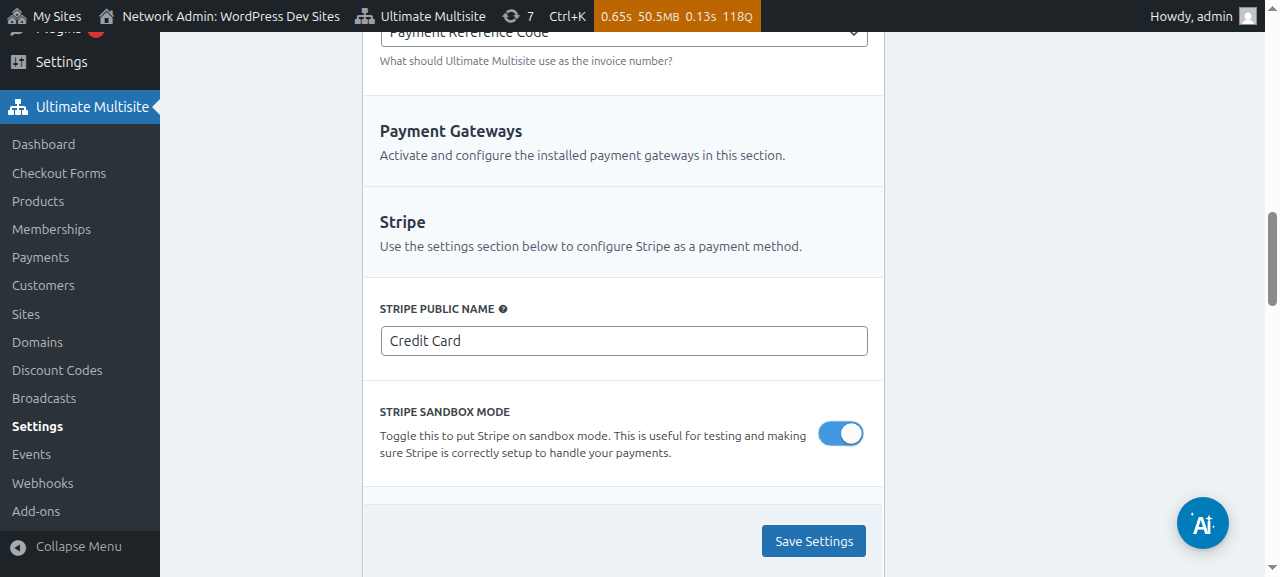
Nov yog qhov interface rau kev teeb tsa chaw txais kev them nyiaj ntawm tes:

Tom qab teeb tsa tas, tsuas yog nyem Khaws Chaw Teeb Tsa ces ua tiav lawm. Thaum cov neeg siv sau npe rau koj lub network, lawv yuav pom ib zaj lus qhia tias lawv yuav tau txais koj cov lus qhia kom ua kom tiav kev yuav khoom.

Thiab lawv tseem yuav tau txais ib zaj lus ntawm koj nplooj Ua Tsaug nrog koj cov lus qhia kev them nyiaj.
Lees paub kev them nyiaj ntawm tes
Txhawm rau lees paub ib qho kev them nyiaj ntawm tes, mus rau cov ntawv qhia Kev Them Nyiaj ntawm sab laug. Nyob ntawd koj pom tau tag nrho cov kev them nyiaj hauv koj lub network thiab lawv cov ntsiab lus, suav nrog lawv xwm txheej. Ib qho kev them nyiaj ntawm tes yuav ib txwm muaj xwm txheej Tseem Tos kom txog thaum koj hloov nws ntawm koj tus kheej.
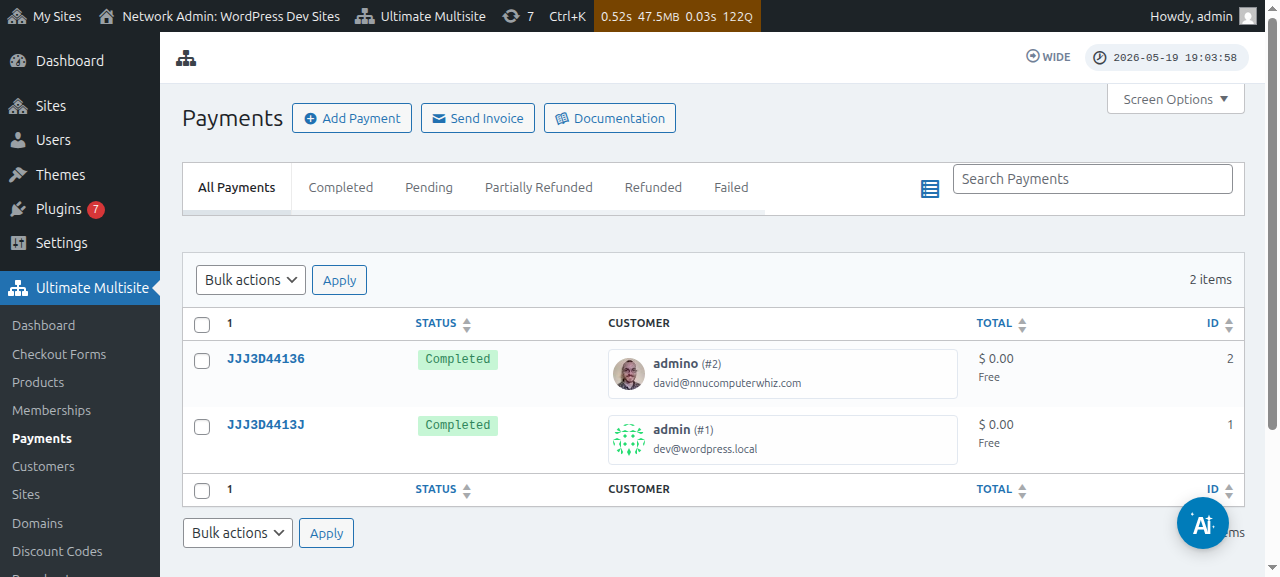
Nkag mus rau nplooj kev them nyiaj los ntawm kev nyem lej siv txheeb xyuas. Hauv nplooj no koj muaj tag nrho cov ntsiab lus ntawm qhov kev them nyiaj uas tseem tos, xws li reference ID, cov khoom, timestamps thiab lwm yam ntxiv.
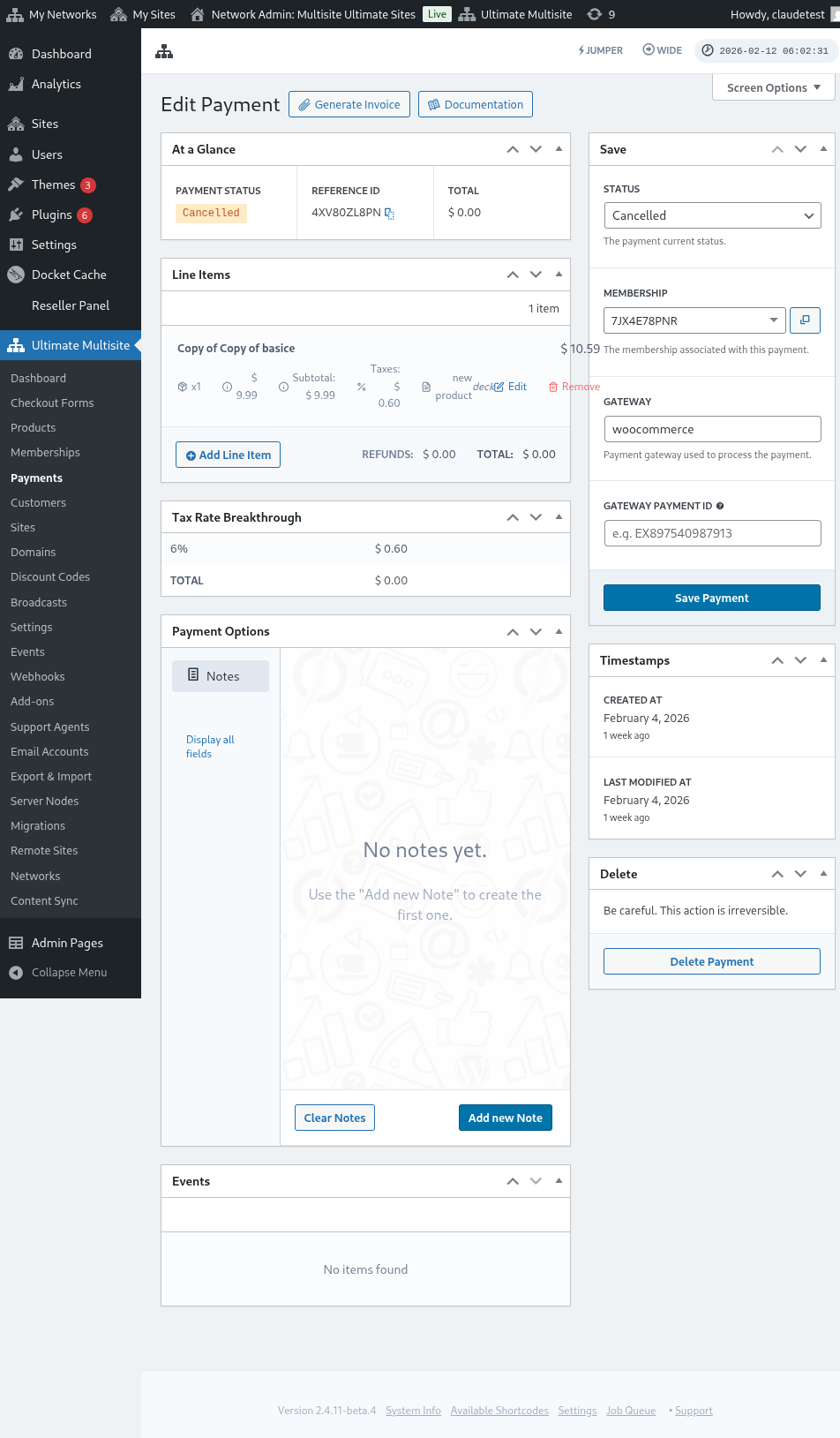
Hauv kem sab xis, koj hloov tau qhov xwm txheej ntawm kev them nyiaj. Hloov nws mus rau Ua Tiav thiab qhib qhov kev xaiv Qhib Kev Ua Tswv Cuab yuav qhib koj tus qhua lub vev xaib thiab lawv txoj kev ua tswv cuab yuav pib siv tau.
