Ho Hloma Ditefo tsa Ka Letsoho (v2)
TEMOSO YA BOHLOKWA: Sehlooho sena se bua ka mofuta wa Ultimate Multisite 2.x.
Ditefo tsa ka letsoho ke tsela ya hore o fe basebedisi ba hao mekgwa e meng ya tefo ha Stripe kapa PayPal e sa fumanehe bakeng sa basebedisi ba hao. E ka ba phetiso ya terata kapa ya banka, kapa mokgwa ofe kapa ofe wa tefo o fumanehang sebakeng sa basebedisi ba hao.
Mokgwa wa ho bulela Ditefo tsa Ka Letsoho
Ho hloma tefo ya ka letsoho ho bonolo haholo. O hloka feela ho e bulela tlasa dikgoro tsa tefo mme o kenye ditaelo tse qaqileng tsa kamoo mosebedisi a lokelang ho romela tefo ka teng.
Pele, eya ho Ultimate Multisite > Ditlhophiso > Ditefo. Ka tlasa Dikgoro tsa Tefo , bulela Ka Letsoho. O tla bona hore lebokose la Ditaelo tsa Tefo le tla hlaha bakeng sa hao.
Kenya lebokoseng lena tlhahisoleseding eo moreki wa hao a tla e hloka ho etsa tefo. E ka ba dintlha tsa akhaonto ya hao ya banka le imeile ya hao hore moreki a tle a kgone ho o romella netefatso ya tefo, ka mohlala.
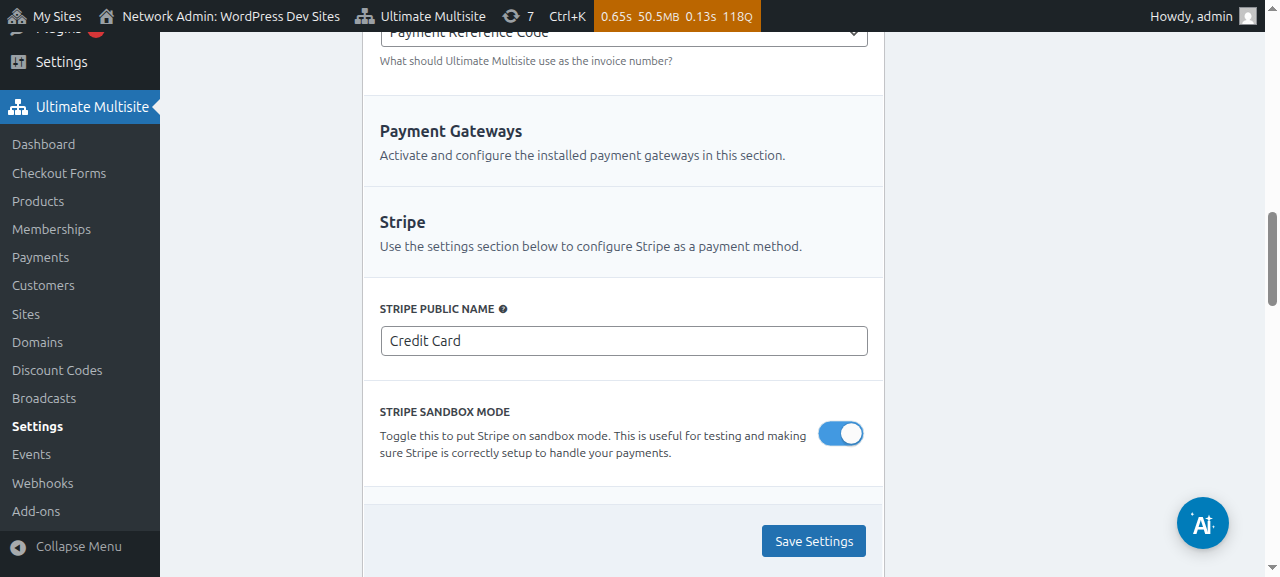
Mona ke sebopeho sa ditlhophiso tsa kgoro ya ka letsoho:

Kamora ho e hloma, tobetsa feela Boloka Ditlhophiso mme ho fedile. Ha basebedisi ba ingodisa netwekeng ya hao, ba tla bona molaetsa o ba bolellang hore ba tla fumana ditaelo tsa hao ho phethela theko.

Mme hape ba tla fumana molaetsa leqepheng la hao la Ke a Leboha o nang le ditaelo tsa hao tsa tefo.
Ho netefatsa ditefo tsa ka letsoho
Ho netefatsa tefo ya ka letsoho, eya lenaneng la Ditefo bareng e ka ho le letshehadi. Moo o ka bona ditefo tsohle netwekeng ya hao le dintlha tsa tsona, ho kenyeletswa le boemo ba tsona. Tefo ya ka letsoho e tla dula e na le boemo ba E Emetseng ho fihlela o e fetola ka letsoho.
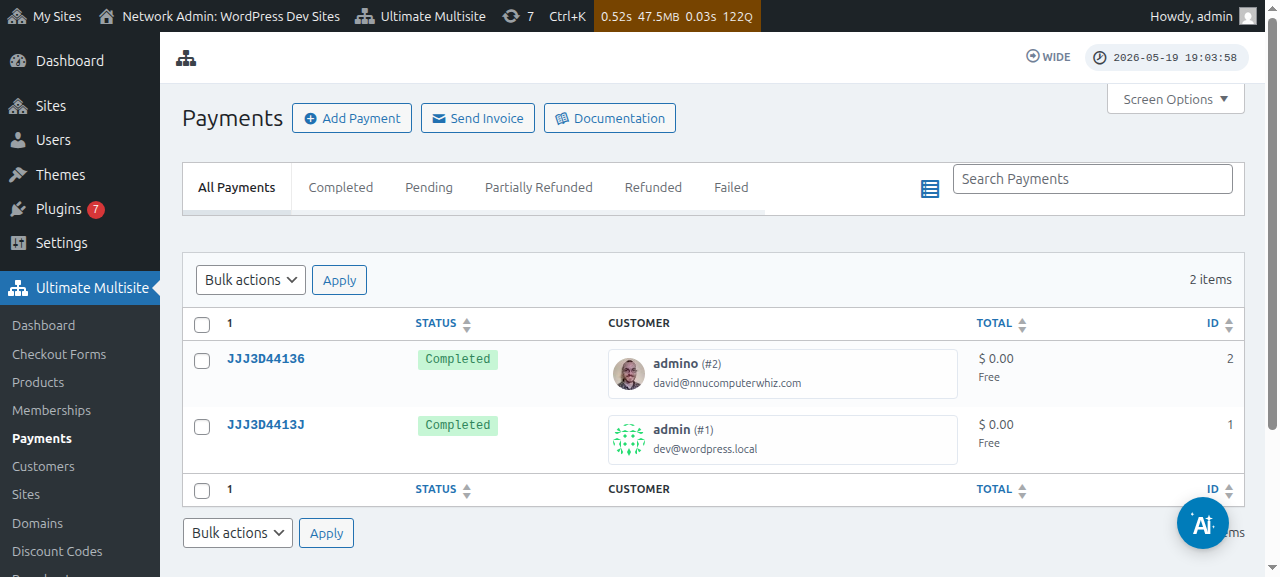
Kena leqepheng la tefo ka ho tobetsa khoutu ya tshupiso. Leqepheng lena o na le dintlha tsohle tsa tefo e emetseng, tse kang ID ya tshupiso, dihlahiswa, dinako tsa kgatiso le tse ding.
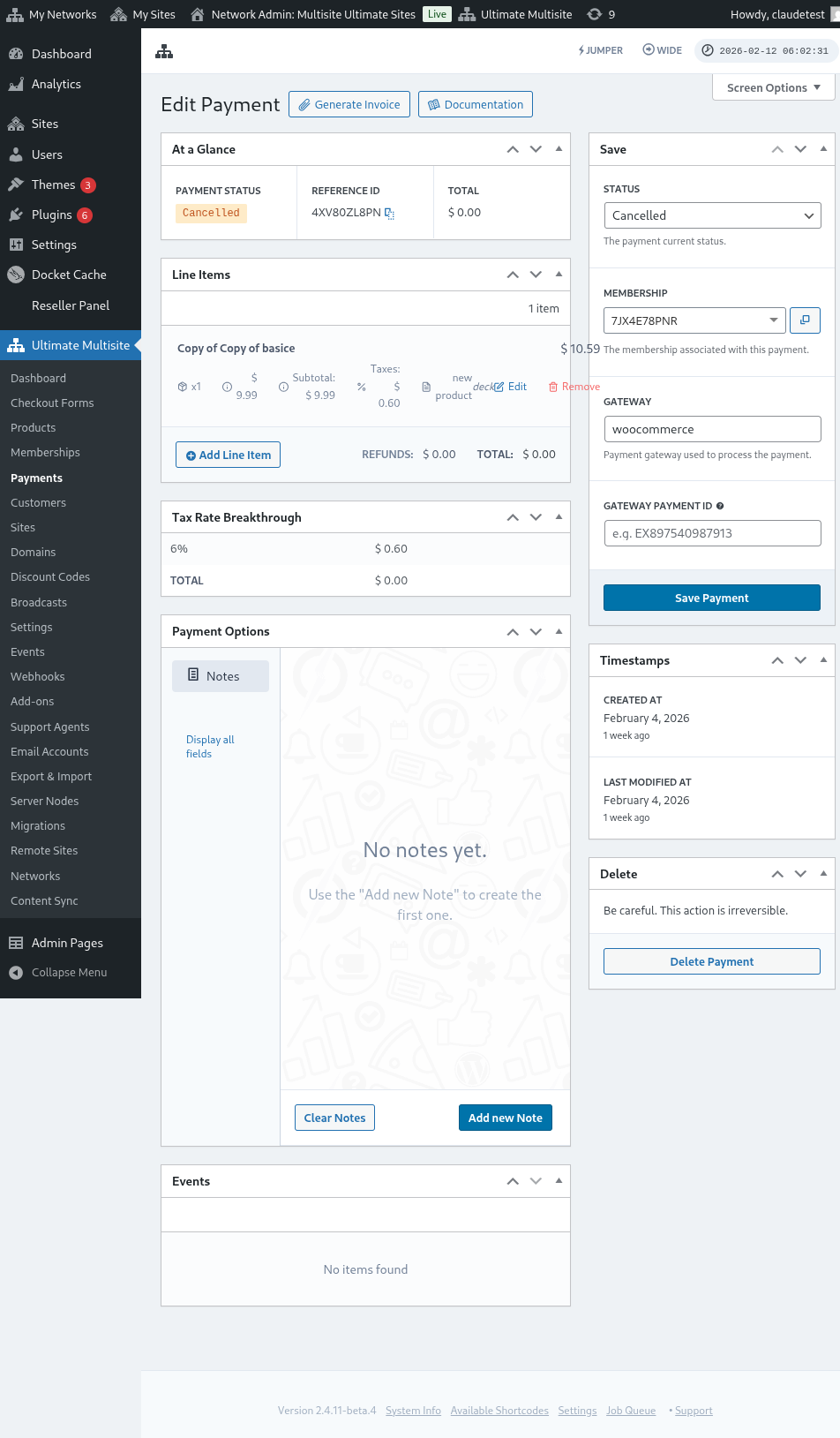
Kholomong e ka ho le letona, o ka fetola boemo ba tefo. Ho bo fetolela ho E Phethilwe le ho bulela kgetho ya Kenya Botho Tshebetsong ho tla bulela saete ya moreki wa hao mme botho ba hae bo tla sebetsa.
