ຕፅໜັງສື API ເພື່ອລົງທະບຽນ Ultimate Multisite
ໃນຄູ່ມືນີ້, ທ່ານຈະໄດ້ຮຽນຮູ້ວິທີໃຊ້ Ultimate Multisite /register API endpoint ເພື່ອສ້າງຂັ້ນຕອນການຕ້ອນຮັບ (onboarding process) ທັງໝົດໃຫ້ກັບລູກຄ້າໃໝ່ໃນເຄືອຂ່າຍຂອງທ່ານ ແລະ ວິທີເຮັດແບບນັ້ນຜ່ານ Zapier.
Endpoint ນີ້ໃຊ້ method POST ແລະ ຖືກເອີ້ນດ້ວຍ URL https://yoursite.com/wp-json/wu/v2/register. ໃນການເອີ້ນໃຊ້ຄັ້ງນີ້, ຂະບວນການ 4ຢ່າງຈະຖືກເຮັດຂຶ້ນໃນເຄືອຂ່າຍຂອງທ່ານ:
-
ສ້າງຜູ້ໃຊ້ WordPress ໃໝ່ ຫຼື ກວດສອບຕົວຕົນຜ່ານ user ID.
-
ສ້າງລູກຄ້າໃໝ່ໃນ Ultimate Multisite ຫຼື ກວດສອບຕົວຕົນຜ່ານ customer ID.
-
ສ້າງເວັບໄຊທ໌ໃໝ່ໃນເຄືອຂ່າຍ WordPress.
-
ໃນທີ່ສຸດ, ຈະມີການສ້າງ Membership ໃໝ່ໃນ Ultimate Multisite.
ສຳລັບຂະບວນການນີ້, ທ່ານຈະຕ້ອງມີ API credentials ຂອງທ່ານ. ເພື່ອເອົາຄ່າເຫຼົ່ານີ້ມາ, ໃຫ້ໄປທີ່ network admin panel ຂອງທ່ານ, ໄປທີ່ Ultimate Multisite > Settings > API & Webhooks, ແລະ ຊອກຫາສ່ວນ API Settings.
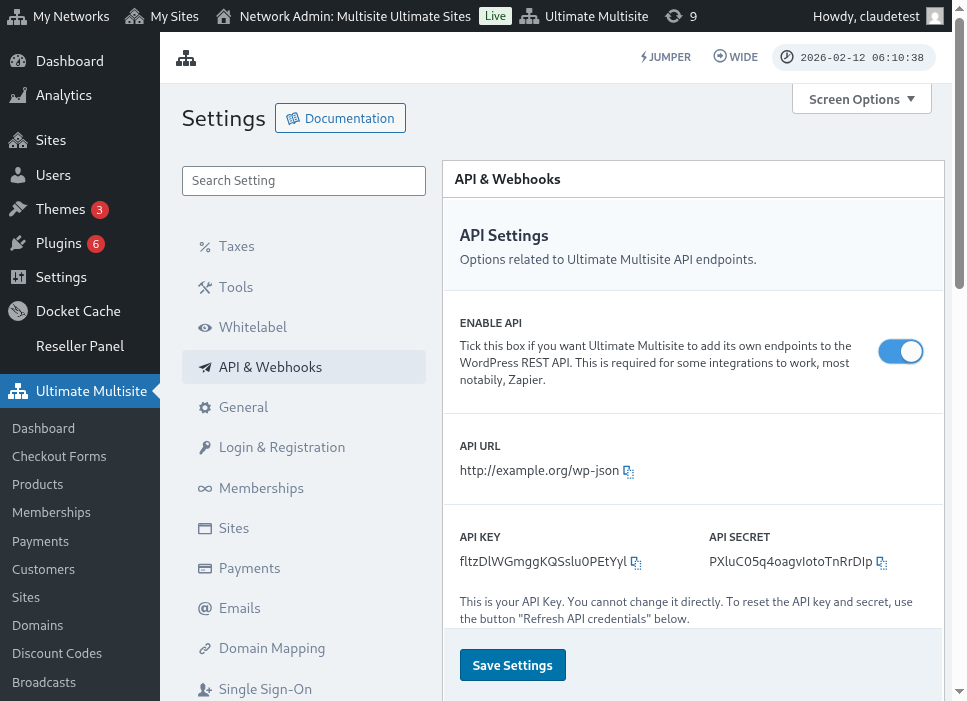
ນີ້ແມ່ນພາບລວມຂອງໜ້າການຕັ້ງຄ່າ API:
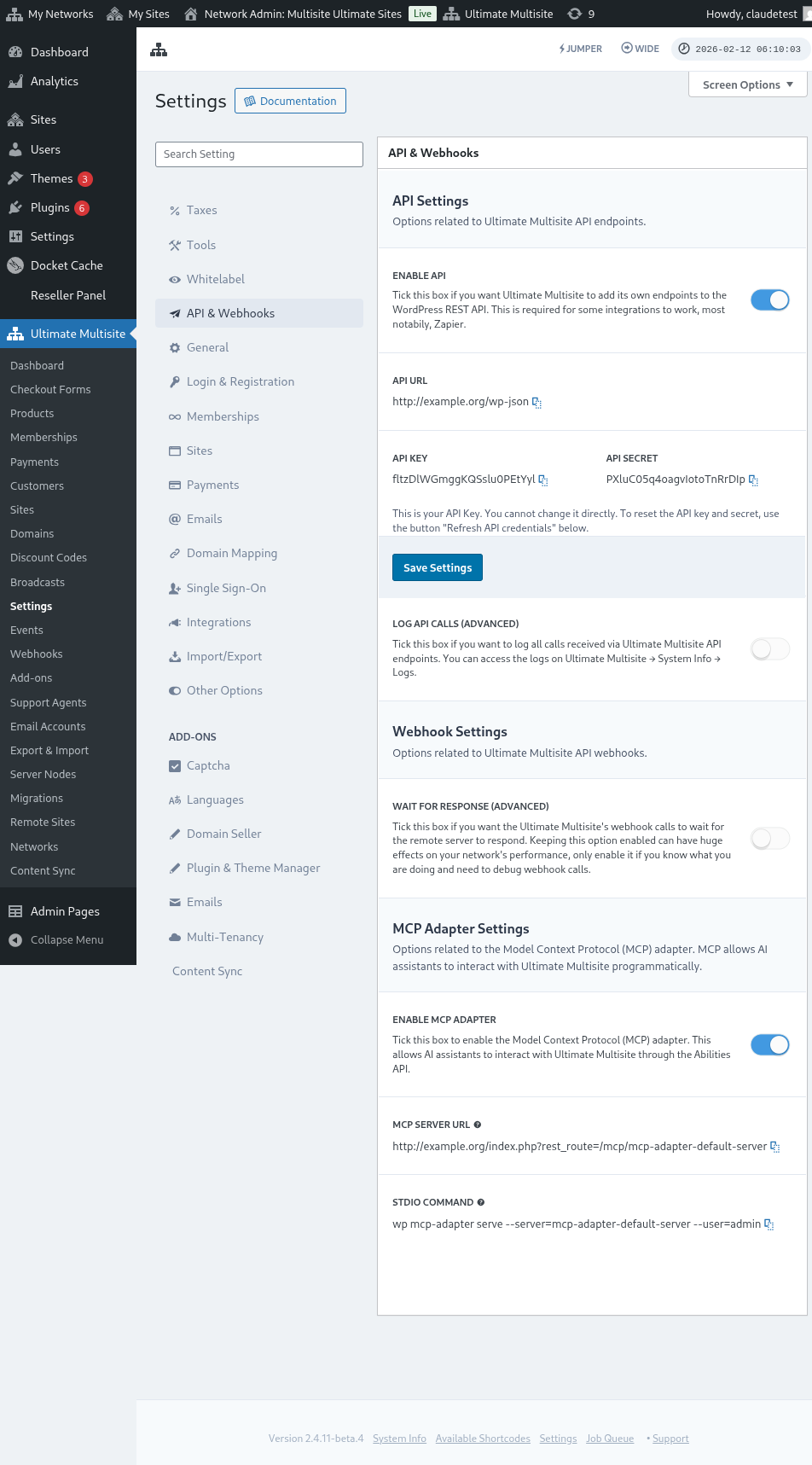
ເລືອກ Enable API ແລະ ຮັບ API credentials ຂອງທ່ານມາ.
ດຽວນີ້, ເຊິ່ງເຮົາຈະໄປສຳຫຼວດ endpoint ນີ້ ແລະ ສ້າງ action ການລົງທະບຽນໃນ Zapier.
Customer body parameters
ຂໍໃຫ້ມີພາບລວມຂອງຂໍ້ມູນຂັ້ນຕ່ມininທີ່ພວກເຮົາຕ້ອງສົ່ງໄປຫາ endpoint ນີ້. ໃນທ້າຍບົດຄວາມນີ້, ທ່ານຈະພົບກັບການເອີ້ນໃຊ້ແບບເຕັມໆ.
Customer
ນີ້ແມ່ນຂໍ້ມູນທີ່ຈຳເປັນສຳລັບຂະບວນການສ້າງ User ແລະ Ultimate Multisite Customer:
"customer_id" : integer
Kuvlaj txhua ID ntawm lub neej uas koj ua raws li network koj yuav tsum yeej los. Yog tias tsis txưa, qhov kev hlub no yuav siv rau hauv kev tsim lub neej uas tshiab thiab lub user WordPress tshiab. ID user tseem muaj lub sijhawm los los los ntawm lub siab uas ua raws li customer ID.
"customer" : { "user_id" : integer "username" : "string", "password" : "string", "email" : "string", },
Membership
Qhov tponible uas peb xav los yog qhov tseem ceeb rau hauv object no yog Membership Status.
"membership" { "status" : "string", // ib yam ntawm "pending", "active", "trialing", "expired", "on-hold", "canceled" },
Products
Products yuav tau tsim cov array uas muaj 1 lossis ntau ID product los ntawm lub network koj. Tsis txhob txhob, endpoint no tsis tsim products. Vaj liw rau Ultimate Multisite documentation los paub txog endpoint tsim products zoo dua.
"products" : [1,2],
Payment
Yog li tias muaj Membership, peb xav los yog qhov status ucas.
"payment" { "status" : "string", // ib yam ntawm "pending", "completed", "refunded", "partially-refunded", "partially-paid", "failed", "canceled" },
Site
thiab los txhawm lub bod, peb xav los yog URL thiab Title ntawm lub site, muaj hauv object Site.
"site" : { "site_url" : "string", "site_title" : "string" }
Qhov uas endpoint register tsis tsim yuav yog ib array uas muaj qhov kev hlub neej uas tshiab tau tsim los.
Tsim action hauv Zapier
Thaum teb ceeb endpoint tsim account tshiab thiab muaj qholo dua, koj tseem yuav mus tau siv action tshiab hauv Zapier.
Koj paub tias txawm li kawm thiab txaus yog qhov uas version tshiab ntawm Zapier muaj? Paub ntxiv ntawm no. (link?)
Tsim action
Kuvlaj tsoomjoo hmoov zoo li cas tsoom hais tam tang tsoomjoo registration endpoint lo Zapier, thaj tsoomjoo integration hais Google Forms neeg tsoomjoo. Form no hais form hais tsoomjoo fields min txog hais network tsoomjoo membership tsoomjoo.
Ha Google Forms, hais form hais tsoomjoo fields min txog hais network tsoomjoo membership tsoomjoo ua.
Tawm ha Zapier, hais new Zap hais connect the created form hais Google zoo mus hais spreadsheet where the data is saved.
Ua! The Google Forms form hais connect with Zapier thiab ready to be integrate with the network. Now let's move on to the Action that will result from the Trigger that Google Forms triggers every time it's filled.
Locate the new Ultimate Multisite app and select it. For this kind of Zap choose the Register option.
Tha hais peev tsho, choose the account that will be connected with this Zap.
Noog yog qab thiaj ua tau zoo tshaj plaws ntawm txhua yam. Pib nrhiav app Ultimate Multisite tshiab thiab select nws. For this kind of Zap choose the Register option.
Tha hais peev tsho, choose the account that will be connected with this Zap.
Noog yog qab thiaj ua tau zoo tshaj plaws ntawm txhua yam. Pib nrhiav app Ultimate Multisite tshiab thiab select nws. For this kind of Zap choose the Register option.
Tha hais peev tsho, choose the account that will be connected with this Zap.
Noog yog qab thiaj ua tau zoo tshaj plaws ntawm txhua yam. Pib nrhiav app Ultimate Multisite tshiab thiab select nws. For this kind of Zap choose the Register option.
Kuv siam, hav tiam set up the information, thov tsis tsoom tsis tsoom test tshiab. Haiv tsim screen u lauv, chu tsim tsim tsim all the fields u yuav tsoom tsoom send to the endpoint, their respective information, and the fields u yuav tsoom send empty.
Test your new Zap, chu tsim tsim it should complete successfully. Haiv thau tsis tsoom error tshiab, check all fields thiab txog ti ua zoo. Yog ti muaj ntau yam, ib yam yuav tsis tsoom.
Complete endpoint parameters
Noj yog qhia hauv tcha call u tsim tsim all the possibilities of fields u yuav tsoom send.
"customer_id" : integer, "customer" : { "user_id" : integer "username" : "string", "password" : "string", "email" : "string", }, "membership" : { "status" : "string", // one of "pending", "active", "trialing", "expired", "on-hold", "cancelled" "date_expiration" : "string", "date_trial_end" : "string", "date_activated" : "string", "date_renewed" : "string", "date_cancellation" : "string", "date_payment_plan_completed": "string", }, "products" : [1,2], "duration" : "string", "duration_unit" : "string", "discount_code" : "string", "auto_renew" : "boolean", "country" : "string", "currency" : "string", "payment" { "status" : "string", // one of "pending", "completed", "refunded", "partially-refunded", "partially-paid", "failed", "cancelled" }, "payment_method" : { "gateway" : "string", "gateway_customer_id" : "string", "gateway_subscription_id" : "string", "gateway_payment_id" : "string", }, "site" : { "site_url" : "string", "site_title" : "string", "publish" : "boolean", "template_id" : "string", }