The Ultimate Multisite Register API endpoint
In this tutorial, you will learn how to use the Ultimate Multisite /register API endpoint to create the entire onboarding process for a new customer in your network and how to do that with Zapier.
The endpoint uses the POST method and is called by the URL https://yoursite.com/wp-json/wu/v2/register. In this call, 4 processes will be executed within your network:
-
A new WordPress user or its identification through the user ID will be created.
-
A new Customer in Ultimate Multisite or its identification through the customer ID will be created.
-
A new site on the WordPress network will be created.
-
In the end, a new Membership in Ultimate Multisite will be created.
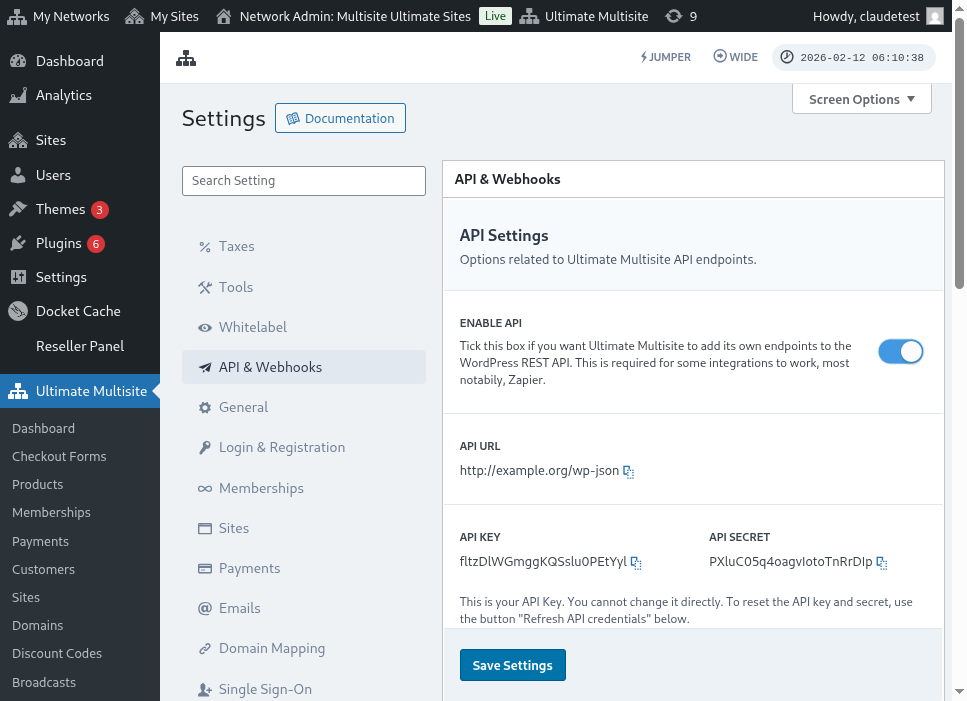
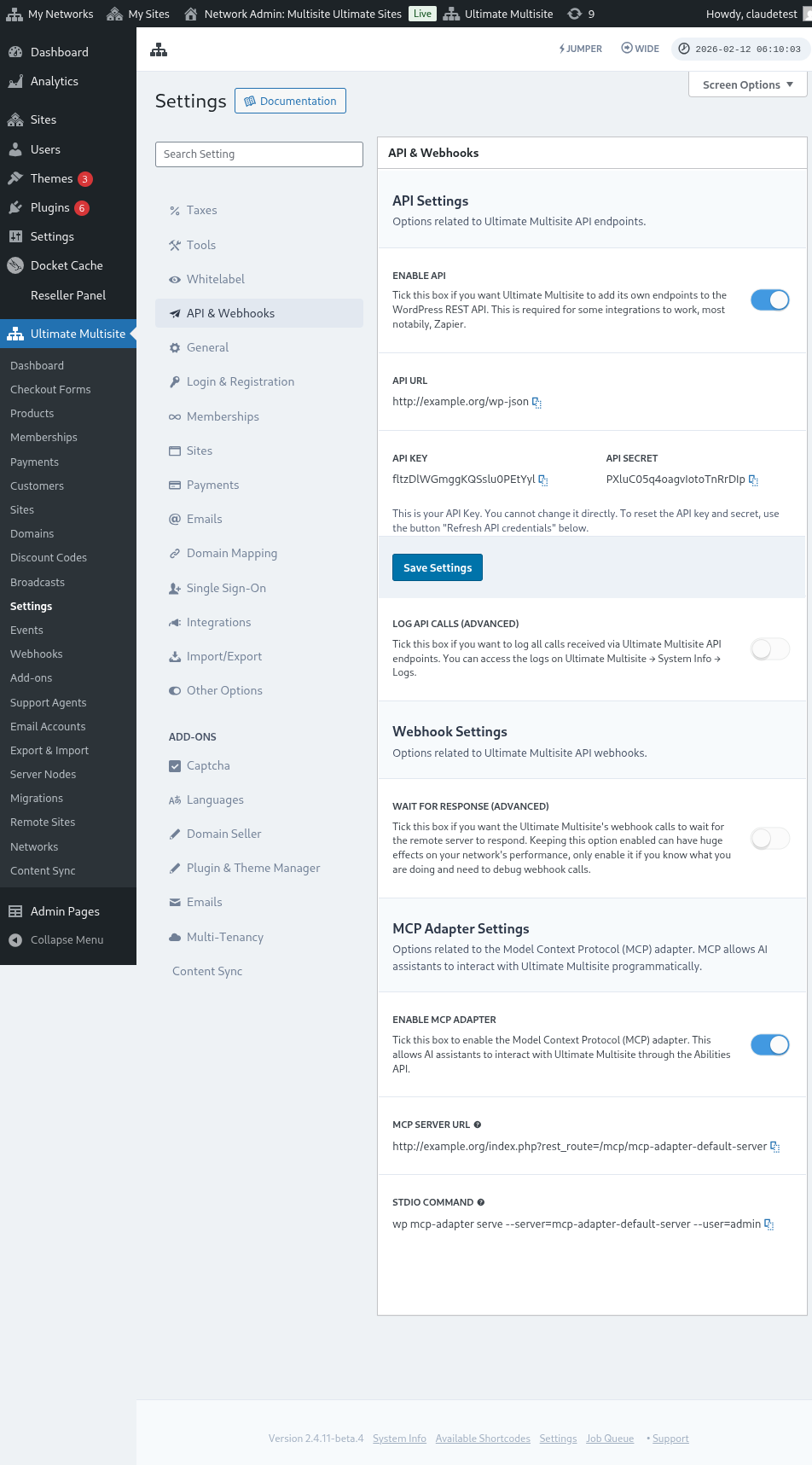
For this process, you will need your API credentials. To get them, go to your network admin panel, navigate to Ultimate Multisite > Settings > API & Webhooks, and look for the API Settings section.
Here's a full view of the API settings page:
Select the Enable API and get your API credentials.
Now, let's explore the endpoint and then create a registration action in Zapier.
Endpoint body parameters
Let's have an overview of the minimum information we need to send to the endpoint. At the end of this article, you'll find the full call.
Customer
This is the information that is necessary for the process of creating the User and the Ultimate Multisite Customer:
"customer_id" : integer
It is possible to send the customer ID created in your network. If not submitted, the information below will be used to create a new customer and a new WordPress user. The user ID can also be sent in the same manner as the customer ID.
"customer" : { "user_id" : integer "username" : "string", "password" : "string", "email" : "string", },
Membership
The only information we need inside this object is Membership Status.
"membership" { "status" : "string", // one of "pending", "active", "trialing", "expired", "on-hold", "canceled" },
Products
Products are given an array with 1 or more product ID from your network. Beware, this endpoint does not create products. Check Ultimate Multisite's documentation to better understand the product creation endpoint.
"products" : [1,2],
Payment
As with Membership, we only need the status.
"payment" { "status" : "string", // one of "pending", "completed", "refunded", "partially-refunded", "partially-paid", "failed", "canceled" },
Site
And to close the body we need the site's URL and Title, both inside the Site object.
"site" : { "site_url" : "string", "site_title" : "string" }
The return of the register endpoint will be an array with the newly created membership information.
Creating an action in Zapier
With the introduction of this new and more robust account creation endpoint you will also access a new action in Zapier.
Do you know how to use and enjoy everything that the new version of Zapier offers? Learn more here. (link?)
Creating an action
To better illustrate how to use the registration endpoint with Zapier, let's create an integration with Google Forms. Every time this form is filled out and the information is saved in the form's answer sheet, a new membership will be created in the Ultimate Multisite network.
In Google Forms, make a form with the minimum fields necessary to create a new membership in the network.
Now in Zapier, make a new Zap and connect the created form in Google through the spreadsheet where the data is saved.
Done! The Google Forms form is connected with Zapier and ready to be integrated with the network. Now let's move on to the Action that will result from the Trigger that Google Forms triggers every time it's filled.
Locate the new Ultimate Multisite app and select it. For this kind of Zap choose the Register option.
After this first step, choose the account that will be connected with this Zap.
This is the most sensitive part of the whole process. We need to match the fields that came from Google Forms with the minimum fields necessary for the register endpoint, as shown in the previous section of this article.
In this example, we only need to configure the username, email, password, name and URL of the website. The rest is left pre-determined so that all memberships generated on this Google Forms follow the same product and status pattern.
With the information set up, proceed to the final test. On the last screen you can see all the fields that will be sent to the endpoint, their respective information and the fields that will be sent empty.
Test your new Zap and it should complete successfully. If any error occurs, check all fields and if they are being sent correctly. As there is a lot of information, some things can go unnoticed.
Complete endpoint parameters
Here is the complete call and all the possibilities of fields that can be sent.
"customer_id" : integer, "customer" : { "user_id" : integer "username" : "string", "password" : "string", "email" : "string", }, "membership" : { "status" : "string", // one of "pending", "active", "trialing", "expired", "on-hold", "cancelled" "date_expiration" : "string", "date_trial_end" : "string", "date_activated" : "string", "date_renewed" : "string", "date_cancellation" : "string", "date_payment_plan_completed": "string", }, "products" : [1,2], "duration" : "string", "duration_unit" : "string", "discount_code" : "string", "auto_renew" : "boolean", "country" : "string", "currency" : "string", "payment" { "status" : "string", // one of "pending", "completed", "refunded", "partially-refunded", "partially-paid", "failed", "cancelled" }, "payment_method" : { "gateway" : "string", "gateway_customer_id" : "string", "gateway_subscription_id" : "string", "gateway_payment_id" : "string", }, "site" : { "site_url" : "string", "site_title" : "string", "publish" : "boolean", "template_id" : "string", }