WooCommerce 통합
WooCommerce 통합은 우리의 수동 게이트웨이가 작동하는 방식과 매우 유사하게 작동합니다. 사용자에게 많은 유연성을 제공하여 WooCommerce 설치에서 사용할 수 있는 결제 양식 중 무엇이든 선택할 수 있게 합니다. 그리고 간단합니다. 사용자 청구 기간이 끝나면 사용자 구독이 보류 상태가 됩니다. 동시에 네트워크의 메인 사이트에 설치된 WooCommerce에 주문이 생성됩니다. 그러면 사용자는 결제를 수행할 링크가 포함된 청구서를 이메일로 받습니다. 결제가 수신되면 구독이 갱신됩니다.
기능
- Ultimate Multisite와 WooCommerce 간의 쉬운 통합
- 여러 결제 방법 사용 가능
- 번들로 제공되는 구독 코어를 사용한 자동 반복 청구, 선택적으로 WooCommerce Subscriptions 플러그인 향상 기능 사용 가능
- 체크아웃 합계에는 Ultimate Multisite 세금이 별도의 비과세 WooCommerce 수수료 항목으로 포함되어 고객이 결제 전에 세금 금액을 검토할 수 있습니다
문서
WooCommerce 통합 설정하기
Ultimate Multisite로 결제 옵션 확장하기: WooCommerce 통합
설치
- 'ultimate-multisite-woocommerce'를 '/wp-content/plugins/' 디렉터리에 업로드합니다
- WordPress의 '플러그인' 메뉴를 통해 플러그인을 활성화합니다
- 단계별 마법사를 따라 플러그인을 설정합니다
사용 가이드
중요 참고: 이 문서는 Ultimate Multisite 버전 2.x를 기준으로 합니다.
주의: Ultimate Multisite: WooCommerce 통합을 사용하려면 최소한 메인 사이트에서 WooCommerce가 활성화되어 있어야 합니다.
일부 국가에서는 _Stripe_와 _PayPal_을 사용할 수 없어 Ultimate Multisite 사용자가 우리 플러그인을 효과적으로 사용하는 데 제한이 있거나 방해가 된다는 점을 이해합니다. 그래서 우리는 _WooCommerce_를 통합하는 애드온을 만들었습니다.
_WooCommerce_는 매우 인기 있는 전자상거래 플러그인입니다. 전 세계 개발자들이 다양한 결제 게이트웨이를 WooCommerce에 통합하는 애드온을 만들었습니다. 우리는 이를 활용해 Ultimate Multisite 청구 시스템에서 사용할 수 있는 결제 게이트웨이를 확장했습니다.
설정하기
먼저 WooCommerce 통합 애드온을 설치해야 하며, 이는 라이선스 사용자에게 무료입니다. 설치하려면 최고 관리자 Dashboard에서 Ultimate Multisite를 클릭하고 애드온을 선택하세요.
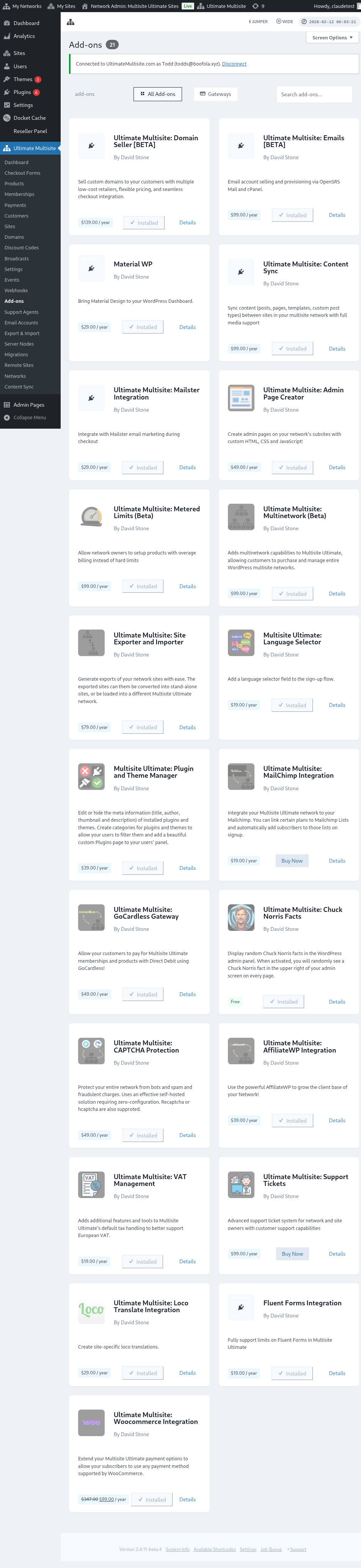
여기에서 모든 Ultimate Multisite 애드온을 찾을 수 있습니다. Ultimate Multisite: WooCommerce 통합 애드온을 클릭하세요.
애드온 세부 정보가 있는 창이 표시됩니다. 지금 설치를 클릭하기만 하면 됩니다 .
설치가 완료되면 플러그인 페이지로 리디렉션됩니다. 여기에서 네트워크 활성화를 클릭하면 WooCommerce 애드온이 네트워크에서 활성화됩니다.
활성화한 후에도 웹사이트에 WooCommerce 플러그인이 설치 및 활성화되어 있지 않으면 알림을 받게 됩니다.
설치가 완료되면 Ultimate Multisite 결제 설정 아래에 추가 옵션이 표시됩니다. 그런 다음 그곳에서 WooCommerce 옵션을 활성화할 수 있습니다.
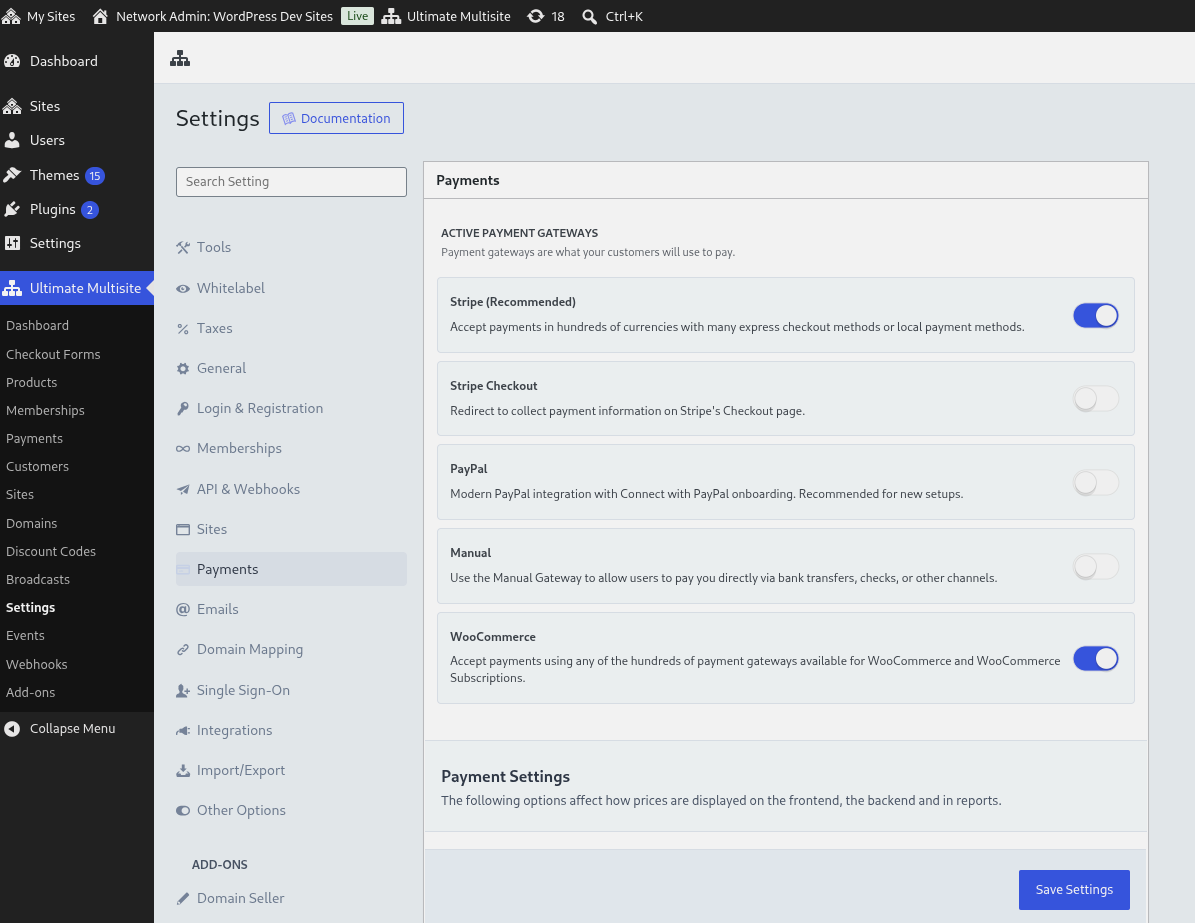
프런트엔드에 표시될 표시 이름과 사용자의 체크아웃 흐름을 안내하는 지침 같은 기본 설정을 구성할 수 있습니다. 그런 다음 사용하려는 결제 게이트웨이를 활성화하고 구성하기 위해 메인 사이트의 WooCommerce 설정으로 이동할 수 있습니다.
체크아웃 세금 수수료 항목
Ultimate Multisite 체크아웃에 세금이 포함된 경우, 이 통합은 각 Ultimate Multisite 세금 금액을 별도의 비과세 수수료 항목으로 WooCommerce 체크아웃에 추가합니다. 이렇게 하면 결제 전에 세금 합계가 표시되면서 WooCommerce가 해당 세금 수수료에 다시 세금을 부과하지 않도록 합니다.
결제 관리 방법
WooCommerce 통합은 우리의 수동 게이트웨이가 작동하는 방식과 매우 유사하게 작동합니다. 단점은 모든 결제가 청구 기간 종료 시 수동으로 결제되어야 한다는 것입니다. 흐름은 다음과 같이 작동합니다:
-
사용자의 청구 주기가 끝나면 멤버십은 보류 상태가 됩니다. 동시에 네트워크의 메인 사이트에 설치된 _WooCommerce_에 주문이 생성됩니다.
-
그런 다음 사용자는 결제를 수행할 링크가 포함된 청구서를 이메일로 받습니다(해당 링크는 하위 사이트 Dashboard의 청구 내역에도 표시됩니다). 그 링크는 사용자를 WooCommerce 체크아웃으로 리디렉션하며, 사용자는 결제를 처리하기 위해 사용 가능한 WooCommerce 게이트웨이 중 하나를 선택할 수 있습니다.
-
결제가 수신되면 멤버십이 갱신되고, 결제가 Ultimate Multisite에 기록되며 주문은 완료로 설정됩니다.
몇 가지 중요한 참고 사항:
-
Ultimate Multisite의 기본 기능은 이 통합 방식에서도 계속 작동합니다. 예를 들어, 구독 관리 화면에서 환불을 발행하면 WooCommerce와 통신하여 선택된 결제 양식을 사용해 환불을 발행합니다.
-
Ultimate Multisite: WooCommerce 통합은 작동을 위해 WP-Cron에 의존합니다. 대부분의 경우 매우 잘 작동하지만, 사이트 트래픽이 낮으면 cron이 예약된 이벤트를 확인하도록 실행되지 않아 이벤트가 누락될 수 있으며, 이로 인해 실행 지연이 발생할 수 있습니다.
WooCommerce Subscriptions 플러그인
매월 수동으로 결제를 시작하는 것은 최종 사용자에게 이상적이지 않습니다. 구독은 각 청구 주기마다 자동으로 반복될 것으로 기대되기 때문입니다. WooCommerce Integration add-on은 이제 핵심 subscriptions 코드를 번들로 포함하므로, 반복 결제 상품은 항상 반복 청구에 subscriptions를 사용합니다.
이 통합을 통해 반복 결제 상품을 판매하기 위해 별도의 WooCommerce Subscriptions plugin을 구매하거나 설치할 필요는 없습니다. 해당 plugin을 구매하고 설치했으며 메인 사이트에서 사용할 수 있는 경우, Ultimate Multisite는 이를 사용하고 WooCommerce는 추가 subscription 관리 기능을 제공합니다. 사용할 수 없는 경우에도 번들로 포함된 subscriptions core가 반복 결제 상품을 계속 처리합니다.
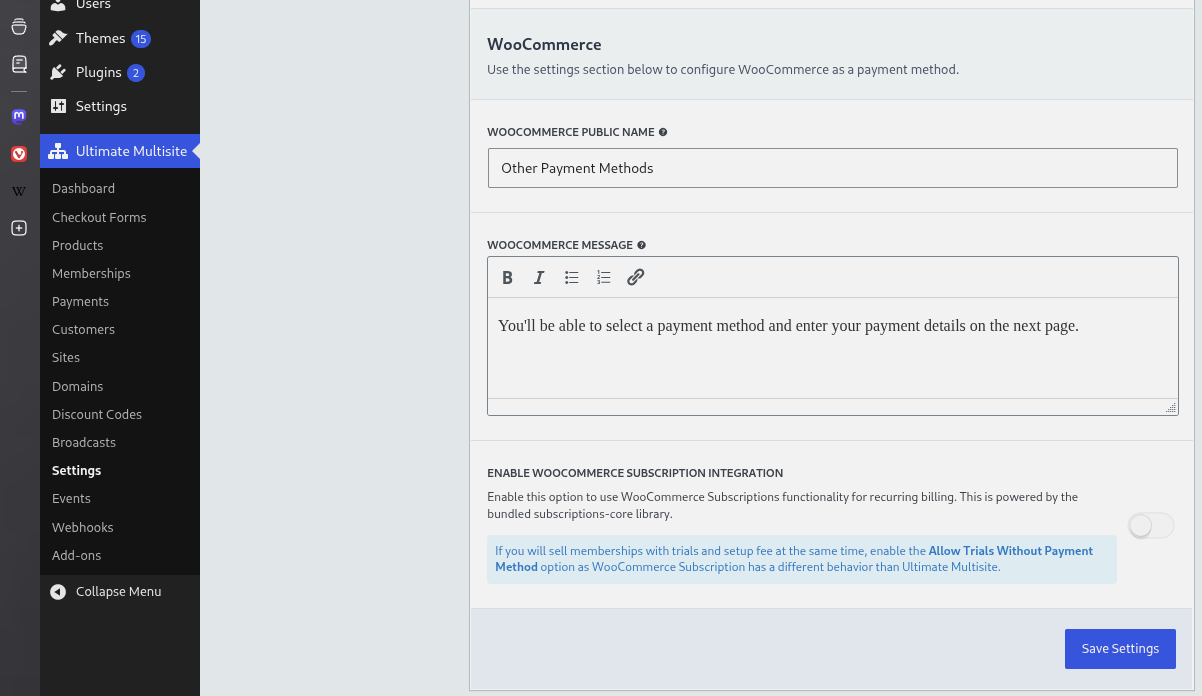
이것으로 끝입니다. 최종 사용자는 반복 결제 상품의 청구 주기가 끝날 때 더 이상 수동으로 결제할 필요가 없습니다.
메인 사이트의 WooCommerce 아래에 주문이 생성되는 것 외에도, 각 Account에 대한 subscription도 생성됩니다.
갱신 실패 시 정지 동작
기본적으로 멤버십은 WooCommerce Subscriptions가 결제 실패 재시도 일정을 처리하는 동안 활성 상태로 유지됩니다. 이렇게 하면 일반적인 WooCommerce Subscriptions 유예 기간이 보존되어, 복구된 갱신이 액세스를 성급하게 중단하지 않고 subscription과 멤버십을 다시 동기화할 수 있습니다.
더 엄격한 액세스 제어를 원하는 관리자는 WooCommerce Integration 설정에서 갱신 실패 시 멤버십 즉시 정지를 활성화할 수 있습니다. 이 선택 설정이 활성화되면, Ultimate Multisite는 WooCommerce Subscriptions 재시도 처리가 끝날 때까지 기다리지 않고 갱신 결제가 실패하는 즉시 관련 멤버십을 정지합니다.
개발자는 wu_woo_suspend_on_payment_failure filter로 동일한 결정을 재정의할 수 있습니다. Hook reference 페이지는 add-on 소스에서 생성되므로, 이 개요에서는 사용자 지정 정지 정책을 위한 filter 이름만 언급합니다.