

WordPress 7.0 makes AI feel much less like a bolt-on. Instead of every AI plugin building its own provider settings and its own private tool system, WordPress now has shared pieces that plugin developers can use together.
That is good news for a multisite business. If you run sites with Ultimate Multisite, AI can be more than a nice extra. You can give each customer an assistant in their dashboard, control the provider setup from the network, include a monthly allowance, track the real usage, and charge for overages without eating the provider bill yourself.
The setup uses three pieces: Superdav AI Agent for the assistant, Ultimate Multisite Metered Plans for usage billing, and Ultimate Multisite as the WaaS platform.
What WordPress 7.0 changes
The big change is that AI now has WordPress-native plumbing. The AI Client SDK gives plugins one way to talk to AI providers. Connectors give administrators one place to configure providers and models. The Abilities API gives plugins a standard way to register actions that an assistant can use.
That last part matters. A normal chatbot can answer questions. An assistant connected to abilities can do actual WordPress work, as long as the site owner gives it permission. It can draft content, review SEO, create alt text, inspect site health, help with WooCommerce tasks, or use any ability that another plugin registers.
The official AI plugin shows the same direction inside the editor with title generation, excerpt generation, summaries, review notes, alt text, image generation, image editing, and an Abilities Explorer. Those are useful features by themselves. On a multisite network, they also point to a bigger product: AI as a managed feature you can sell per customer.
Where Superdav AI Agent fits
Superdav AI Agent is the customer-facing assistant. It adds a full-page chat and a floating assistant inside WordPress admin, then connects that chat to the AI Client SDK and the Abilities API.
Customers do not need to understand the underlying APIs. They see an assistant that can help with content, media, WooCommerce, users, SEO, site health, blocks, navigation, analytics, knowledge search, automations, and custom tools. You decide which abilities are available and which actions require confirmation.
Superdav AI Agent also includes the Superdav AI provider. You can use it instead of managing separate OpenAI, Anthropic, Google, Ollama, or compatible endpoint accounts. The rates are competitive, and the model choices are tuned for WordPress work such as drafting posts, improving product copy, generating alt text, reviewing SEO, summarizing site data, and helping customers through admin tasks.
You can still connect other providers if you want. For most WaaS owners, though, the built-in Superdav AI provider is the simpler starting point because it keeps the customer experience inside the AI Agent setup instead of sending every tenant into provider account management.
How metered AI billing works
AI has a real variable cost. A short title suggestion is cheap. A long agent session with several tool calls costs more. The model also matters. A fast low-cost model and a premium reasoning model should not be priced the same way.
Ultimate Multisite Metered Plans handles this by treating AI spend as a metered usage item. The add-on records the provider, model, input tokens, output tokens, and calculated cost for the customer’s site and membership during the billing cycle.
- You set rates for the models you offer.
- Each plan includes an AI allowance, such as $5, $25, or $100 per month.
- The customer uses the assistant normally.
- Metered Plans records the usage for that site and membership.
- If usage goes past the allowance, the overage is added to billing.
The add-on also protects your margin. If a model has no billing rate, it is hidden from customer model pickers on subsites and blocked if a request still tries to use it. That prevents unpriced models from becoming accidental free usage.
Install the plugins
Start with Ultimate Multisite, then add the assistant and billing add-on.
- Install Ultimate Multisite from WordPress.org. In Network Admin, go to Plugins, Add New, search for “Ultimate Multisite”, install it, and network activate it.
- Install Superdav AI Agent from WordPress.org. Search for “Superdav AI Agent” on the Add New Plugin screen, install it, then activate it on the sites or plans that should include AI. If every tenant should get AI, network activate it.
- Get Ultimate Multisite Metered Plans from the product page. After purchase or download, upload the plugin zip from Network Admin, Plugins, Add New, Upload Plugin. Then network activate it so it can track usage across tenant sites.
After activation, confirm that Ultimate Multisite is running, Superdav AI Agent opens from the WordPress admin, and Metered Plans adds its metered billing settings to products and memberships.
Screenshots from the product UI
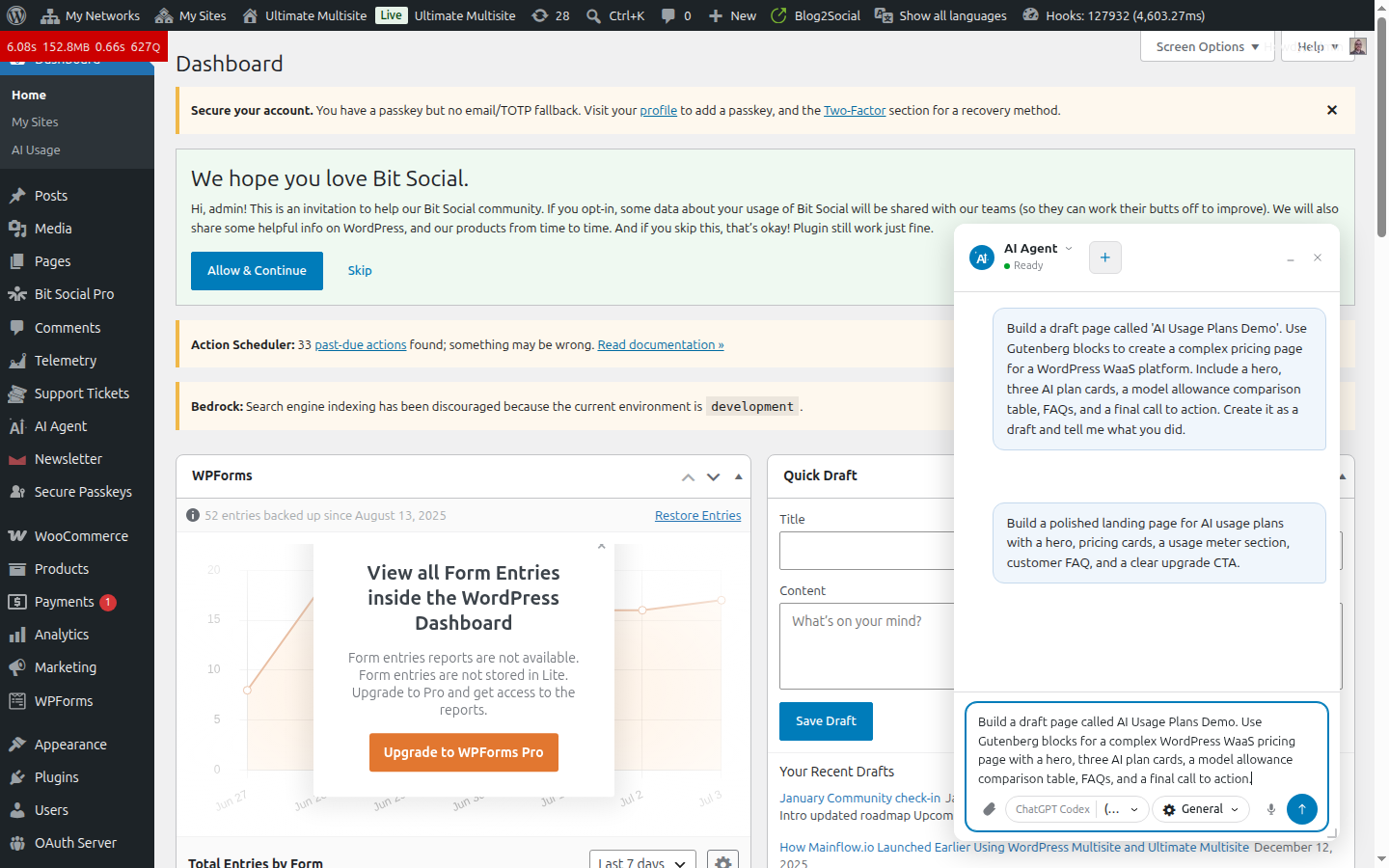
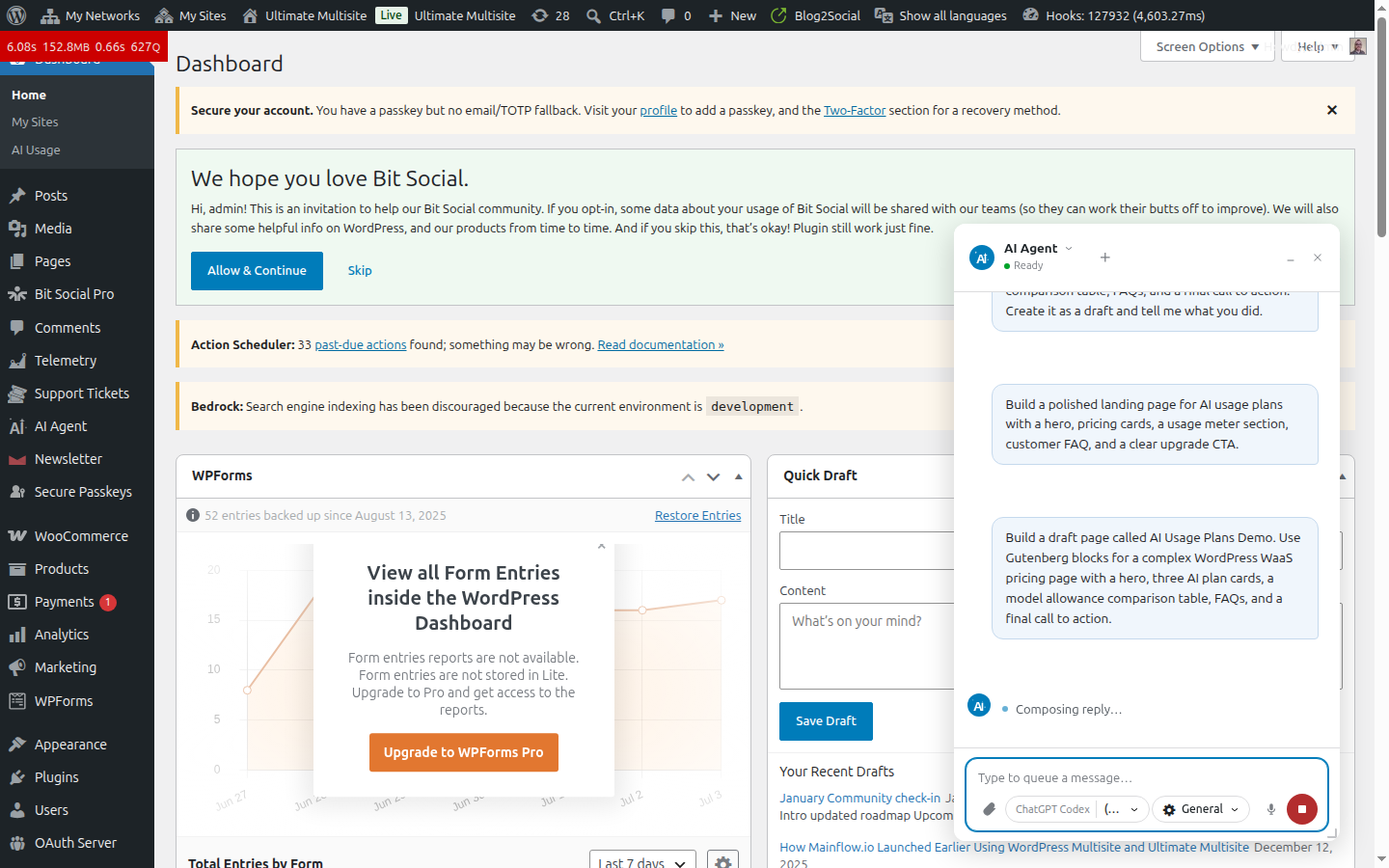
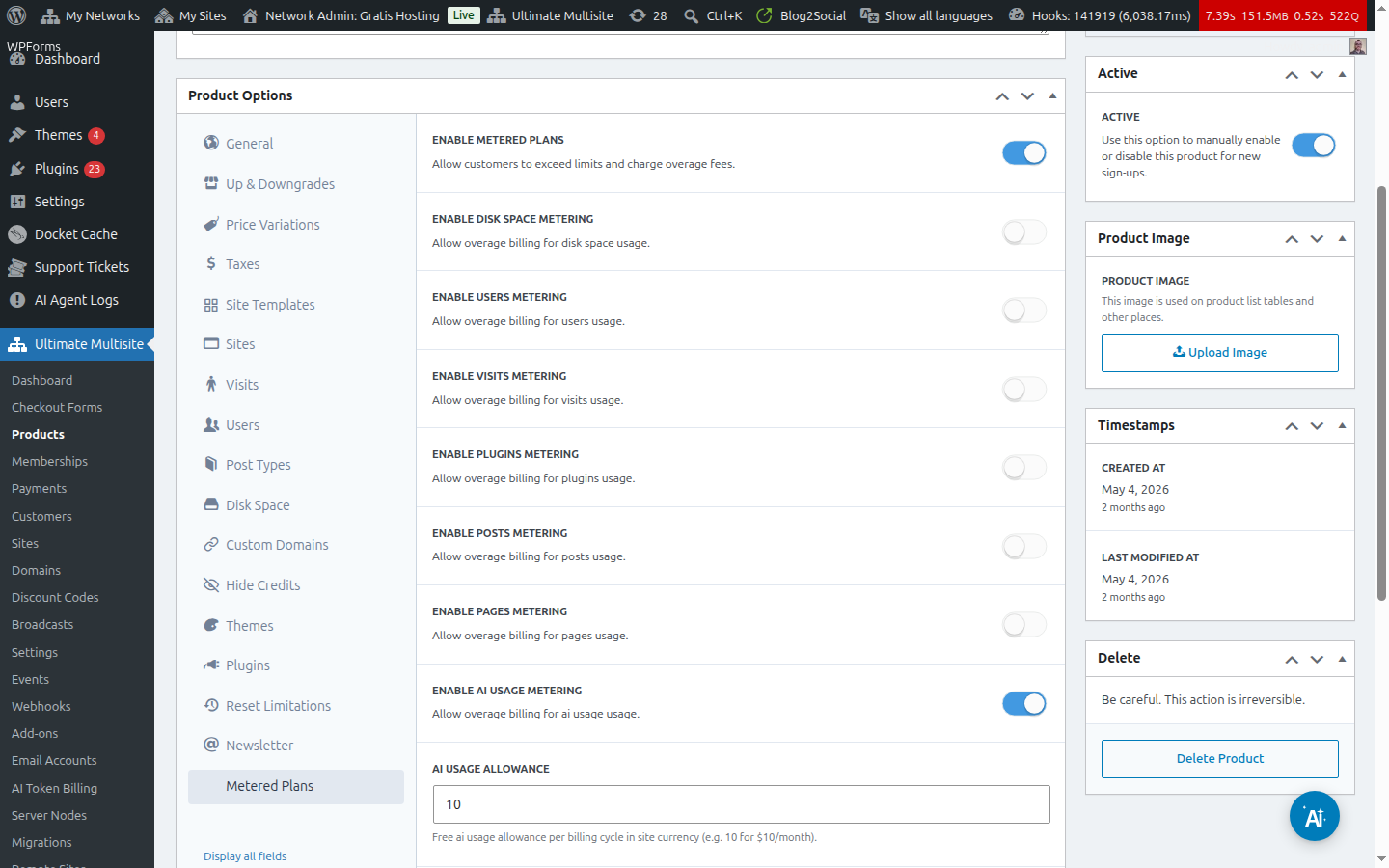
These screenshots show the actual admin experience: Superdav AI Agent taking a page-building prompt, the assistant composing a response, and Ultimate Multisite Metered Plans controlling AI usage allowances and overage billing.
Configure the AI provider
The easiest path is to use the Superdav AI provider that comes with Superdav AI Agent. Open the Superdav AI Agent settings, choose Superdav AI as the provider, and pick the default model you want customers to use.
If you prefer to bring another provider, configure it from Settings, Connectors in WordPress 7.0. Depending on your installed plugins, you may see OpenAI, Anthropic, Google, Ollama, or an OpenAI-compatible endpoint. On some builds the provider screen may still appear as AI Credentials.
For a multisite business, keep provider configuration on the main site. Metered Plans includes connector enforcement so subsites inherit the main site’s provider setup. Customers can use the AI models you offer, but they do not need to save their own provider keys on each subsite.
Then set a sensible default in Tools, Superdav AI Agent Settings. For a starter plan, use a fast model and a modest iteration limit. For higher tiers, offer stronger models, more tool calls, and custom assistants for content, store management, SEO, or support.
Set model rates
In Network Admin, open Ultimate Multisite, AI Token Billing. Add every model you plan to sell. The rates are stored as cost per million input tokens and cost per million output tokens.
If you use Superdav AI, copy the model IDs from the Superdav AI model selector and enter the matching rates shown for your account. If you use another provider, use that provider’s published rates and add your markup through the plan settings.
| Plan idea | Default model style | Included AI allowance | Overage markup |
|---|---|---|---|
| Starter | Fast everyday model | $5 per month | 1.5x |
| Pro | Stronger writing and analysis model | $25 per month | 1.35x |
| Agency | Premium models and higher tool limits | $100 per month | 1.2x |
The exact numbers are up to your margins. The important part is that every visible model has a rate and every plan has a clear allowance.
Add AI usage to a plan
Edit the Ultimate Multisite product or membership that should include AI, then open the Metered Plans section.
- Turn on metered plans for the product or membership.
- Enable AI Usage metering.
- Enter the included allowance in your site currency. For example, enter 10 for $10 of AI usage per billing cycle.
- Set the overage markup. A value of 1.0 passes through cost, 1.5 adds a 50 percent margin, and 2.0 doubles the overage price.
- Turn on the hard cutoff if you want to block AI when a customer has no payment method and reaches the allowance.
The hard cutoff is useful for trials and free plans. A customer can use the included allowance, but once they hit the cap they need to add a payment method to keep going. After a payment method is attached, they can continue using AI and pay the overage instead of being blocked.
Test it before you sell it
Create a test customer and put them on the plan you just configured. Open that customer’s site dashboard and confirm that Superdav AI Agent appears. Ask it to do a small task, such as writing a page intro, generating an excerpt, or suggesting alt text.
Then go back to Network Admin and check the AI Usage dashboard or Usage Tracking page. You should see the request recorded as AI Usage with token counts, model information, and cost for the current billing period.
For the cutoff test, temporarily lower the plan allowance and use the assistant again. Confirm that the warning appears before the limit, the request is blocked when a customer has no payment method, and overage billing works after a payment method is attached.
Package AI as a product
Customers are not buying tokens. They are buying help. Package the feature around the jobs the assistant can do.
- Starter plans can include content drafts, excerpts, alt text, and light support help.
- Pro plans can add SEO reviews, WooCommerce product help, knowledge search, and scheduled reports.
- Agency plans can include premium models, custom agents, larger allowances, and more automation.
- White-label plans can rename and brand the assistant for resellers.
Start with conservative permissions. Let customers get value from safe tasks first, then open stronger tools for plans where support, billing, and risk make sense.
A practical launch checklist
- Install and activate Ultimate Multisite, Superdav AI Agent, and Metered Plans.
- Choose Superdav AI or another provider on the main site.
- Set default models and permissions in Superdav AI Agent.
- Add billing rates for every model customers can use.
- Add an AI allowance and overage markup to each plan.
- Test usage tracking, payment method prompts, cutoff behavior, and overage billing.
Why this setup works
WordPress 7.0 gives AI a shared foundation. Superdav AI Agent turns that foundation into something your customers can use. Ultimate Multisite Metered Plans makes sure the business side still works when usage grows.
The model is simple: install the platform, add the assistant, choose Superdav AI or another provider, include a fair allowance, meter the real usage, and bill overages only when customers go past what their plan includes.
If you are building a WaaS business, this is one of the cleanest ways to offer AI without turning provider costs into a guessing game.
Leave a Reply